
Systems
Workflow systems
A Sorted Systems service. Review and complete the service-page fields before publishing.
What Sorted does
Practical help, built around your business.
Turn “What Happens Next?” Into a Clear, Repeatable Process
Every business has workflows, even if nobody has formally written them down.
An enquiry comes in. A quote needs to go out. A customer approves. Someone must create a project, save documents, assign tasks, update a status and follow up at the right time.
When those steps only live in people’s heads, work gets delayed, duplicated or forgotten.
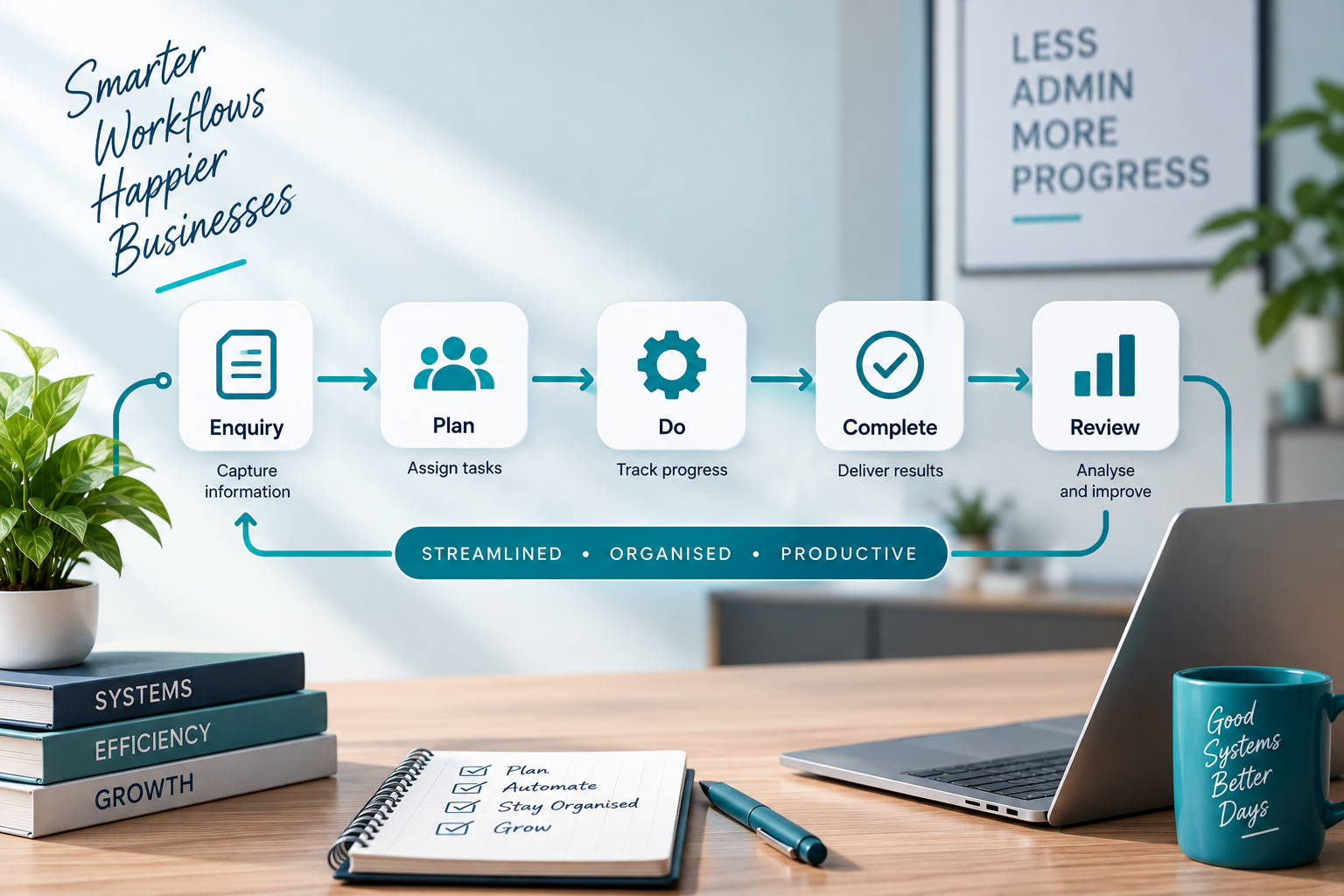
Sorted designs workflow systems that make business processes clearer, easier to manage and more consistent from one job, customer or task to the next.
What a Workflow System Can Include
Depending on your business, we can help create:
- Lead-to-client workflows
- Quotation and approval processes
- Customer onboarding workflows
- Project workflows
- Order workflows
- Document workflows
- Staff task flows
- Follow-up systems
- Handover processes
- Status tracking
- Responsibility assignment
- Approval steps
- Process checklists
- Workflow dashboards
- Reminder systems
- Digital and physical workflow structures
- Workflow documentation
- Automation planning
Who This Service Is For
Workflow Systems are ideal for businesses that:
- Regularly ask “what happens next?”
- Have different staff doing the same process differently
- Lose work between departments or team members
- Miss important steps
- Rely too heavily on memory
- Duplicate admin unnecessarily
- Experience slow handovers
- Need clearer accountability
- Want to automate a process but first need to understand it properly
- Have grown beyond informal ways of working
We Map the Real Workflow First
We do not begin with how the process is supposed to work on paper.
We begin with what actually happens.
We look at:
- What starts the process
- Who receives the information first
- What happens next
- What information is required
- Who is responsible for each stage
- Where delays usually happen
- Which steps are repeated
- What needs approval
- What should trigger the next action
- Where completed information should be stored
Once the real process is visible, it becomes much easier to improve.
From Process to Working System
After the workflow has been mapped, we can turn it into a practical system.
That may include:
- Status stages
- Task lists
- Assigned responsibilities
- Forms
- Checklists
- Calendar reminders
- Customer records
- Project records
- Dashboards
- Notifications
- Digital folders
- Document templates
- Approval steps
- Automated actions
The exact system depends on the business and the tools you already use.
Digital, Physical or Hybrid
Not every workflow happens entirely online.
Some businesses still use:
- Physical job files
- Signed paperwork
- Printed checklists
- Site records
- Stock sheets
- Project folders
We can design workflows that connect the physical and digital sides of the business so information does not fall into the cracks between the two.
Workflow Systems vs Automation
A workflow system defines:
What happens.
Who does it.
When it happens.
What information is needed.
What happens next.
Automation can then handle selected parts of that process.
We believe the workflow should make sense before automation is added.
Otherwise, all you have done is make a bad process move faster.
Our Philosophy
A good workflow removes guesswork.
People should not have to keep asking:
“Who is handling this?”
“Was that sent?”
“Where is the document?”
“Did anyone follow up?”
“What happens now?”
A good workflow gives those questions somewhere to live.
Our approach is:
Assess. Plan. Cut Out Waste. Build. Implement.
We map the process, remove unnecessary steps, define responsibilities and create a system that helps the work move forward.
The goal is:
Clearer handovers.
Fewer missed steps.
Less duplication.
Better accountability.
More consistent service.
Your team should spend less time figuring out what happens next and more time doing the work.
How it works
From assessment to implementation.
- 1Assess
- 2Plan
- 3Cut Out Waste
- 4Build
- 5Implement