
Systems
Digital filing systems
A Sorted Systems service. Review and complete the service-page fields before publishing.
What Sorted does
Practical help, built around your business.
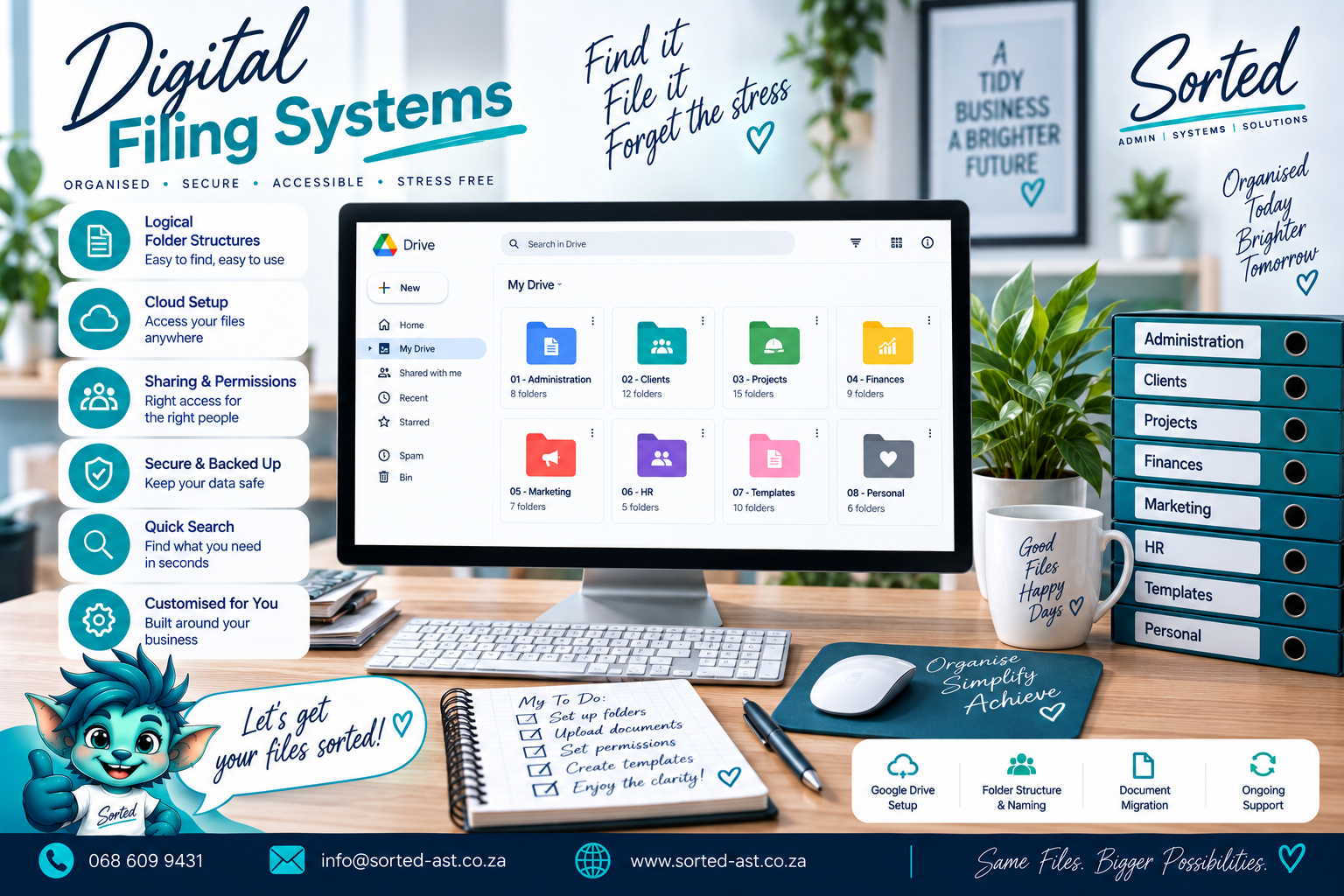
Create a Filing Structure That People Can Actually Use
A business can have thousands of digital documents and still have no real filing system.
Files end up in Downloads. Project photos sit in random folders. Customer documents are buried in email attachments. Staff create their own naming rules. The same file appears five times with names like final, final2 and final-use-this-one.
Sorted builds digital filing systems that make business information easier to save, find, share and manage.
The goal is simple: less searching, fewer duplicates and a filing structure that still makes sense six months from now.
What a Digital Filing System Can Include
Depending on your business, we can help with:
- Google Drive filing systems
- OneDrive filing systems
- Shared folder structures
- Customer folder structures
- Project folder structures
- Supplier records
- Staff records
- Compliance documents
- Financial document filing
- Product and stock documentation
- Photo and media organisation
- Archive structures
- Document naming conventions
- File naming rules
- Folder templates
- Access and permission planning
- Document registers
- Version control structures
- Existing file cleanup
- Duplicate file review
- Migration into a new filing structure
- Physical-to-digital filing alignment
Who This Service Is For
Digital Filing Systems are ideal for businesses that:
- Struggle to find documents quickly
- Have files spread across different devices and accounts
- Use inconsistent folder structures
- Store business files in personal folders
- Mix active and archived documents together
- Have duplicate or outdated files
- Need more consistency across customer or project records
- Want a system staff can follow without constant explanation
- Are preparing for growth
- Need a cleaner foundation before implementing automation or a CRM
We Start With How the Business Uses Information
A useful filing system is not just a long list of folders.
We first look at:
- What types of documents the business creates
- Who needs access to them
- Which records belong together
- How projects, customers or suppliers are organised
- Which documents are active
- What should be archived
- Which information needs restricted access
- How new folders should be created
- How files should be named
- What information needs to be found quickly
Then we build a structure around those needs.
File Naming That Makes Sense
Good digital organisation depends on consistency.
We can create simple naming conventions for things such as:
- Customer files
- Project documents
- Quotes
- Reports
- Invoices
- Contracts
- Certificates
- Photos
- Job cards
- Training records
The aim is not to create a complicated code nobody remembers.
The aim is to make files predictable.
If someone knows what they are looking for, they should have a reasonable idea where it lives and what it is called.
Folder Templates for Repeatable Work
Where your business repeatedly creates similar folders, we can build reusable folder templates.
For example, a project folder may include:
- Customer Information
- Quotes and Approvals
- Designs
- Site Photos
- Reports
- Compliance
- Handover
- Warranties
That creates consistency without forcing someone to reinvent the filing system every time.
Existing File Cleanup
If your current filing system has already become cluttered, we can help clean it up.
This may include:
- Reviewing current folders
- Consolidating duplicate structures
- Separating active and archived records
- Renaming files
- Moving documents into the correct folders
- Creating a clearer structure for future use
Where there is uncertainty about whether something should be deleted, we flag it rather than removing it blindly.
Digital and Physical Systems Can Work Together
Not every business is fully digital.
Some still rely on:
- Signed paperwork
- Printed forms
- Site files
- Physical project folders
- Stock documents
We can design digital filing systems that mirror the physical structure so both sides of the business make sense together.
Our Philosophy
Saving a file is not the same as filing it.
If nobody can find the document again, it has not really been organised.
Sorted believes filing systems should be simple enough that people can keep using them properly without needing a manual every time they save something.
Our approach is:
Assess. Plan. Cut Out Waste. Structure. Implement.
We focus on:
Less searching.
Fewer duplicates.
Clearer ownership.
Better document control.
A filing system that grows with the business.
Your cloud storage should not feel like a digital storeroom where every box says “miscellaneous”.
It should be Sorted.
Get Your Digital Filing System Sorted
If your Google Drive, OneDrive or shared folders have become difficult to manage, we can help create a practical filing structure that is easier to use and easier to maintain.
How it works
From assessment to implementation.
- 1Assess
- 2Plan
- 3Cut Out Waste
- 4Build
- 5Implement