
Automation
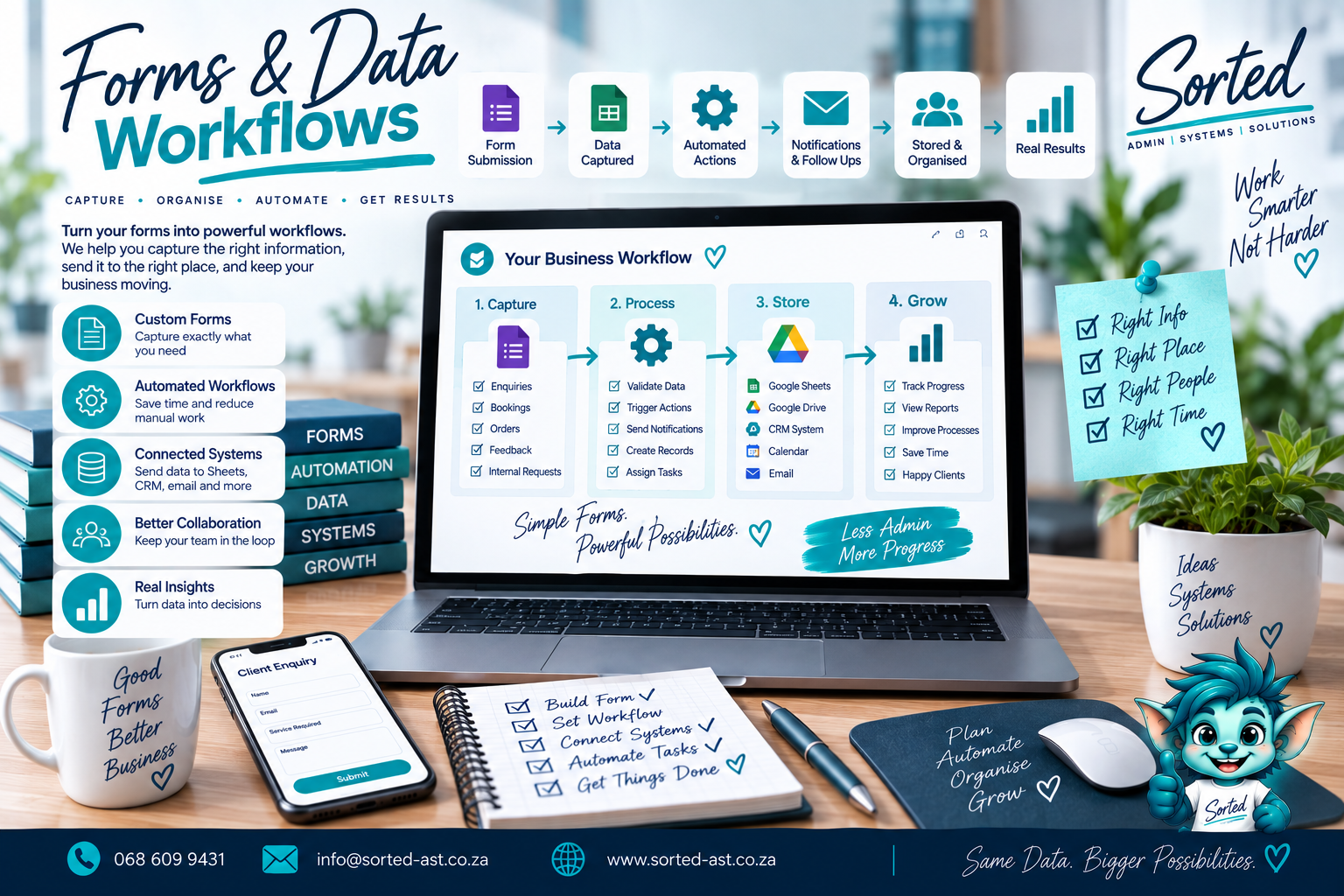
Forms and data workflows
A Sorted Automation service. Review and complete the service-page fields before publishing.
What Sorted does
Practical help, built around your business.
Capture Information Once and Move It Where It Needs to Go
Forms are often where business processes begin.
A customer submits an enquiry. A technician completes a site form. A staff member records an expense. A project update is captured. Then someone manually copies the information into a spreadsheet, creates a folder, sends an email and adds a reminder.
Sorted designs forms and data workflows that connect those steps so information can move through the business more efficiently.
The goal is to reduce double capturing, improve consistency and make sure information does not stop at the form submission.
What Forms and Data Workflows Can Include
Depending on your business, we can help create:
- Customer enquiry forms
- Lead capture forms
- Quote request forms
- Project update forms
- Job card forms
- Site inspection forms
- Expense forms
- Stock movement forms
- Training forms
- Staff information forms
- Customer feedback forms
- Order forms
- Service request forms
- Data validation
- Required fields
- Dropdowns and controlled responses
- Form-to-spreadsheet workflows
- Form-to-database workflows
- Automated folder creation
- Calendar event creation
- Email notifications
- Automated document generation
- Status updates
- Dashboard updates
- Follow-up triggers
Who This Service Is For
Forms and Data Workflows are ideal for businesses that:
- Capture the same information more than once
- Still move form data manually into spreadsheets
- Need more consistent data capture
- Want fewer incomplete submissions
- Use Google Forms, WordPress forms or similar tools
- Need form submissions to trigger other actions
- Want customer or project information to flow into a database
- Need better site, job or inspection reporting
- Want to connect forms to calendars, folders or dashboards
- Need a more reliable process from data capture to action
Forms Should Start a Process, Not End One
A form submission should not simply land in an inbox and wait for someone to notice it.
We look at what should happen after the information is captured.
For example:
New Enquiry
A customer submits a form.
The workflow can:
- Add the lead to a database
- Create a follow-up date
- Notify the correct person
- Store the enquiry details
- Update a dashboard
Project Setup
A project form is approved.
The workflow can:
- Create a project record
- Generate the correct folder structure
- Create tasks
- Add calendar dates
- Notify the team
Site Inspection
A technician submits an inspection form.
The information can:
- Enter a structured database
- Store photos or documents
- Trigger a report
- Flag urgent issues
- Update the project record
Better Data Starts at the Point of Capture
Good reporting depends on good data.
We therefore design forms to capture information consistently from the beginning.
That may include:
- Dropdown lists
- Required fields
- Standard date formats
- Validation rules
- Controlled status options
- Clear field names
- Logical sections
The cleaner the information entering the system, the easier it becomes to search, report on and automate later.
Built Around the Tools You Already Use
Forms and data workflows can work with tools such as:
- Google Forms
- Google Sheets
- Google Drive
- Google Calendar
- Google Docs
- Gmail
- WordPress forms
- CRM systems
- Custom databases
- Dashboards
The exact setup depends on where the information starts and where it needs to go.
Our Philosophy
Capture information once. Use it properly.
Sorted believes data should move through a process without people repeatedly retyping the same details.
Our approach is:
Assess. Plan. Cut Out Waste. Build. Implement.
We first understand:
- What information needs to be captured
- Who provides it
- Where it should go
- What should happen next
- Which actions can be automated
- Where human approval is still needed
Then we build the workflow around that process.
The goal is:
Less double capturing.
Cleaner data.
Fewer missed submissions.
Faster follow-up.
Better-connected systems.
A form should not create more admin.
It should help move the work forward.
Get Your Forms and Data Workflows Sorted
If your forms are creating another layer of manual capturing instead of saving time, we can help connect them to the systems behind the business.
How it works
From assessment to implementation.
- 1Assess
- 2Plan
- 3Cut Out Waste
- 4Build
- 5Implement